Week 6: Simulations, Niagara and Water
- Stevie Tewfik
- May 4
- 5 min read

Updated: May 6
As I mentioned last week, I wanted to add movement to my scene, as when people play through (and during the cinematic presentation) having moving objects and particle simulations will make my scene a lot more convincing. However, I had no idea how to begin, so I contacted my lecturer from semester 1, Jeremy West.
He, very kindly, also gave me some resources from 2nd year, on how to create some floating particles and falling leaves to add into my scene. He also said that, in regard to the floating particles, if I made them look like dust, when it comes to lighting at the end of the semester it will add a level of volume to the scene and really reinforce the idea that this dungeon is old and musty.
I started with these dust particles, and was introduced to Unreal Engines particle system called Niagara.

I created a Niagara system using the "HangingParticulates" template, which creates particle sprites that linger in 3D space, floating around until their lifetimes ends. There are loads of setting which you can edit, which in turn change the properties of the particles, for example, the spawn rate.

By default, each sprite is simply a glowing orb, but you can attach materials to them, so I made a simple "dust" transparent material. I made a dust-looking image in Photoshop on a black background and plugged the alpha channel into the opacity slot.

Next, was the falling leaves. Originally, I was thinking, why would there be leaves inside a dungeon, but my reasoning is that there is going to be a whole in the cave that reaches up to the surface, where leaves will fall through.
To make this simulation, there was also another preset you can leave, conveniently called "BlowingParticles". Much like the dust simulation, similar settings apply for this system. I created a leaf material using a generic image of an autumn leaf I found online. By masking it using the alpha channel again, and making the material "two-sided" I was able to have the material projected on both sides of each sprite.

This is what it looks like running in engine (its not a demanding simulation so it does run at 60fps). As you may be able to see in the shadows, there is something moving, and that is where my simple water shader comes into play.
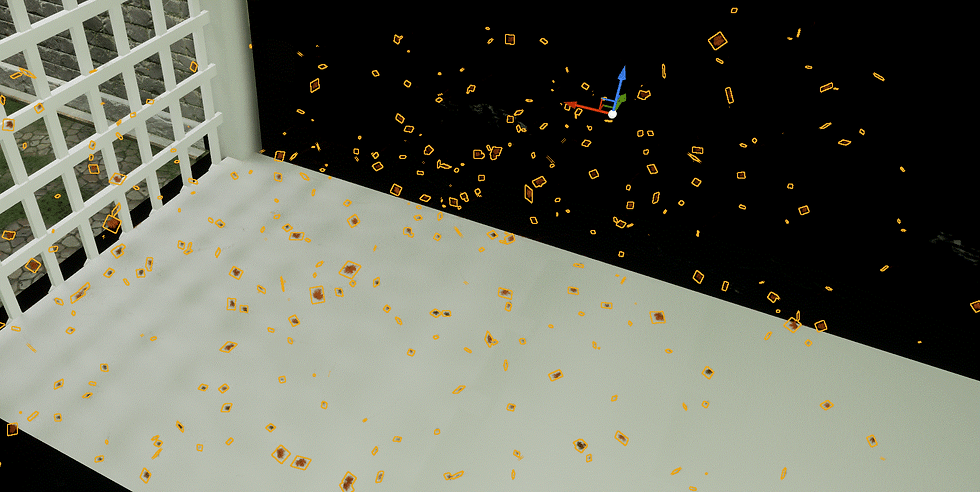
I wanted to add a sense of deep water into the bottom of the cave, so I came up with a very simple way of doing this. Considering I now had some experience in making transparent/ semi-transparent materials, I wanted to transfer these newfound skills into another aspect of my level.
The water shader is quite simple, and whilst the plane that the texture is applied to does not move itself, from the point of view above, you can see that the rippling and gentle waves are quite obvious. It consists of a simple colour and opacity setup using just a base colour and a scalar value, but the movement of the water is where things get more interesting.

To create the "ripple" effect, I found a tiling "water" normal map online, and attached some panner nodes, moving at different speeds. These move the maps at a constant rate in a certain direction, giving the effect of the normals changing, and therefore a gentle ripple.

I then thought, water reacts to objects that it comes in contact with, so how could I recreate this effect, even if it was only visually, this is where I discovered "distance fields". By definition, this term refers to a spatial data representation where each point in 3D space stores its distance to the nearest surface of a mesh.

You can use these, as I found at via watching a youtube video, to create effects when other meshes enter a certain proximity. So for the water, I plugged a selection of nodes into the "refraction" slot in my material. This results in a simple, but effective "ripple" effect, that works and changes in real time!

Seeing as I have covered half of the 4 elements, the next one had to be fire. As I had to have a light source of some kind, what is more on theme than adding torches? First though, I had to model the torches themselves,
It was quite a simple model, and considering you were barely going to see the models as a result of bloom and exposure when in-game or in the sequencer, no high poly mesh was required for these.

They fitted in well with my level (as a result of my unanimous smart material workflow) so I immediately moved on to the simulation. I found a brilliant tutorial on Youtube for a fire simulation using Niagara, so I followed along and added my own twist.
Like the other 2 simulations, there are again a lot of variable you are able to edit as seen on the right, though this simulation uses 2 different sub-simulations. There is a fountain to generate the particles in the first place, and then a "Grid3D_Gas_Master_Emitter" which is what generates the "flame" effect. I decided to use this as the flame looks a lot more realistic than me trying to create a convincing material.

Another aspect of this simulation is that the fire is moveable, and reacts to when it is moved in 3D space. This might not be necessary but I still think it is a cool feature of this simulation. Mesh collisions is also a toggleable feature, though this seems a bit pointless considering how demanding it is on the GPU.
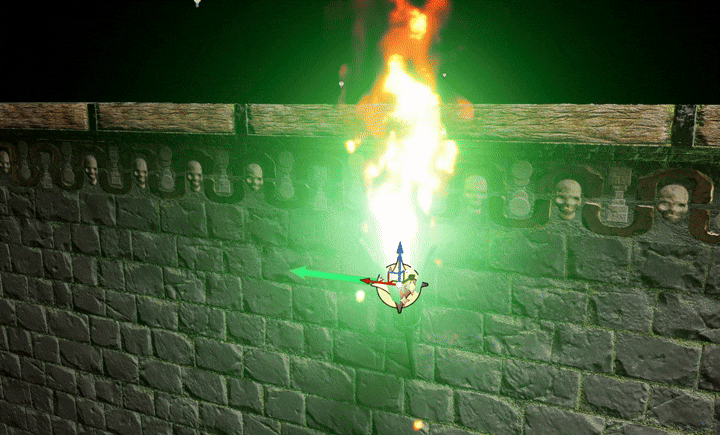
All of these different moving aspects have, as I hoped, added a lot of "life" to my scene and makes the area feel more lived-in, which was the idea from the beginning, and really helps to sell the idea that this could be a real game environment.
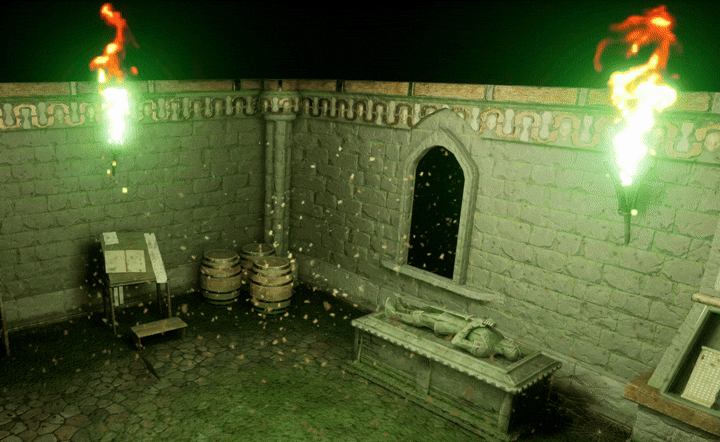
I will turn down the fire as, upon getting feedback, it does seem very bright and slightly over-exposed, however this is something I can change on the fly. Also, the flame is quite physically large considering how small the emitter would be (the torch) so I will rescale that next week too.
Bibliography/ External Reading:
_______________
Gorka Games. “How to Make Dust Using Niagara in Unreal Engine 5.” YouTube, 1 Feb. 2023, www.youtube.com/watch?v=2xsR0fQ0bbk.
Aziel Arts. “Easy Falling Leaves! Beginners Guide to Niagara Particles in Unreal Engine 5.” YouTube, 3 Jan. 2024, www.youtube.com/watch?v=gekQTr74y3E.
leaf, autumn PNG. “Autumn PNG Leaf Image with Transparent Background.” Pngimg.com, 2026, pngimg.com/image/3591.
PrismaticaDev. “Single Layer Water | 5-Minute Materials [UE4/UE5].” Www.youtube.com, 19 Sept. 2021, www.youtube.com/watch?v=KLl3PZeupFM.
RenderBucket. “Unreal Engine 5.2 - Moveable Fire & Collisions with Niagara Fluids [2].” Www.youtube.com, 25 May 2023, www.youtube.com/watch?v=bbn4MsCwwrk.


Comments